OMR Software for Windows
The full exam desk on one PC: design and print the sheets, scan the stack, review flagged answers and send the results file to the office. Version 1.0.0, available now.
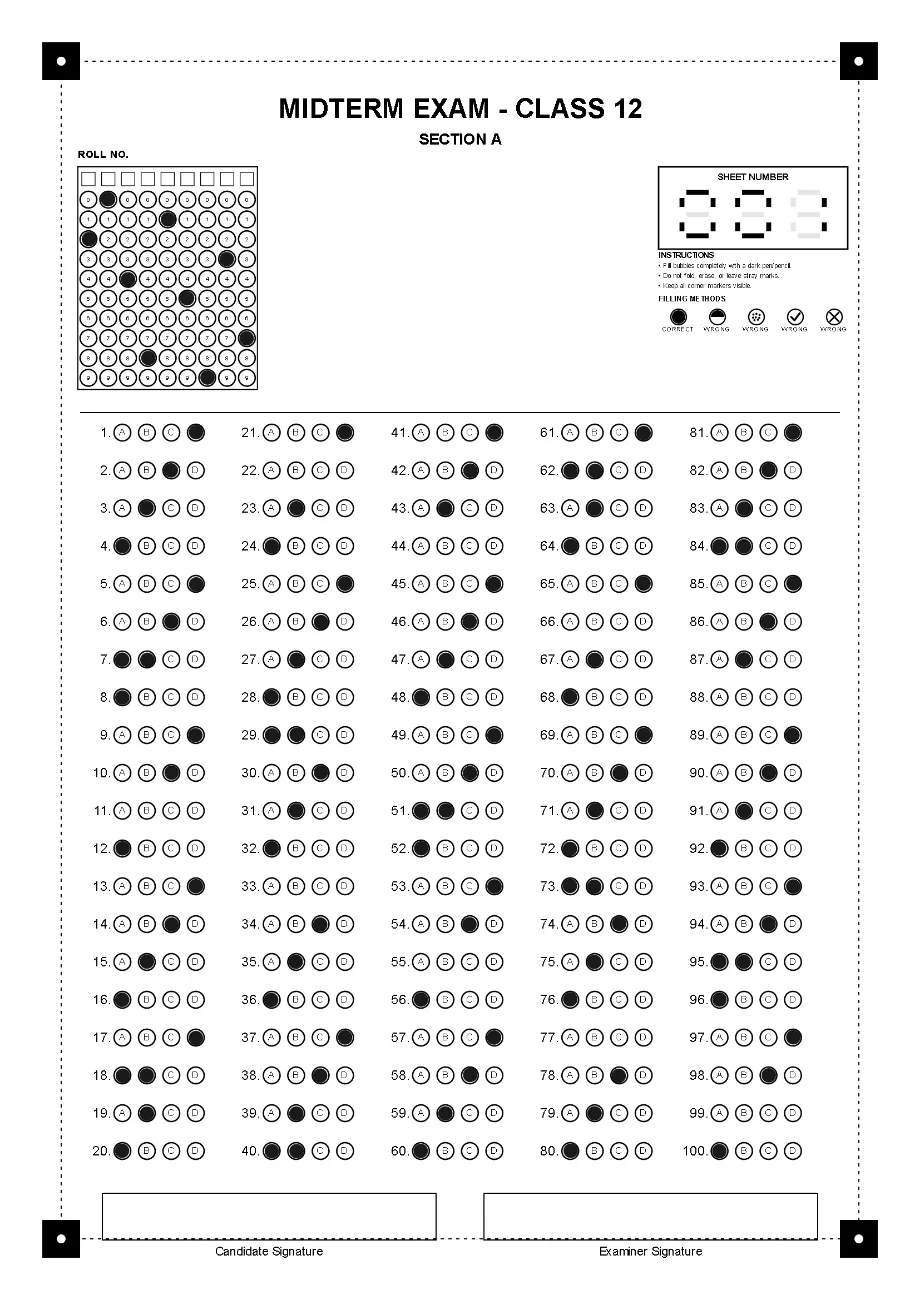
Printing that keeps sheets on A4.
Most Windows printers default to US Letter, which is 18 mm shorter than A4 and cuts off the bottom corner markers. The software sends each job straight to the printer you pick, with A4 set by the app, not the driver.
- Choose the printer and paper in the app; PDF and fax printers are left out of the list.
- A test sheet is printed and confirmed before a numbered run.
- Or save the sheets as PNG at 600 DPI, or a PDF of up to 20 numbered sheets.
- Paper
- A4, 210 × 297 mm
- Corner marker distance from edge
- ≈ 9.6 mm
- US Letter height
- 279.4 mm
- Scaling
- Always 100%
- Test sheet number
- 000
Scan a stack, or drop in image files.
Drag JPG, PNG or PDF files onto the grading screen, or scan from inside the app with a WIA scanner, from its sheet feeder or one sheet at a time on the flatbed.
- Scans are taken at 300 DPI in greyscale, with no auto-crop or de-skew, so the corner markers are never trimmed.
- The whole batch is read first, then shown in one table with a score and a flag on each sheet that needs you.
- Scanner support is new. Tell us your scanner model before you buy for it, and we will confirm it works.
Classes, registers and results in one place.
Everything is stored on the PC, in the user’s own Windows profile.
Class registers
Import students from an Excel or Word list with Name and Roll Number columns. Names fill in by roll number as sheets are graded.
Result detail
Open any candidate to see every answer against the key, and correct a misread name, roll number or sheet number.
Exports
An Excel workbook with one row per candidate, the marked sheets as images, one PDF per candidate or one combined PDF.
System requirements and installation.
A standard Windows setup program that lets you choose the installation folder.
The licence is activated online once, then the software runs offline from a signed licence stored on the PC. One licence activates one computer.
- Version
- 1.0.0
- Windows
- Windows 10 or 11, 64-bit
- Installer
- OMR Software Setup 1.0.0.exe
- Printer
- Any printer that takes A4
- Scanner
- Optional: WIA scanner, or image files
- Internet
- Once, to activate
- Themes
- Five, light and dark
 The app icon you will see on the desktop after installing.
Download OMR Software for Windows.
Install it, print a test sheet, and grade a few filled sheets before your next exam.