OMR Sheet for Android
The same grading engine as the Windows software, in your pocket. Photograph a stack of filled sheets after the exam and check the marks before you leave the room.
In testing Not yet on Google Play.
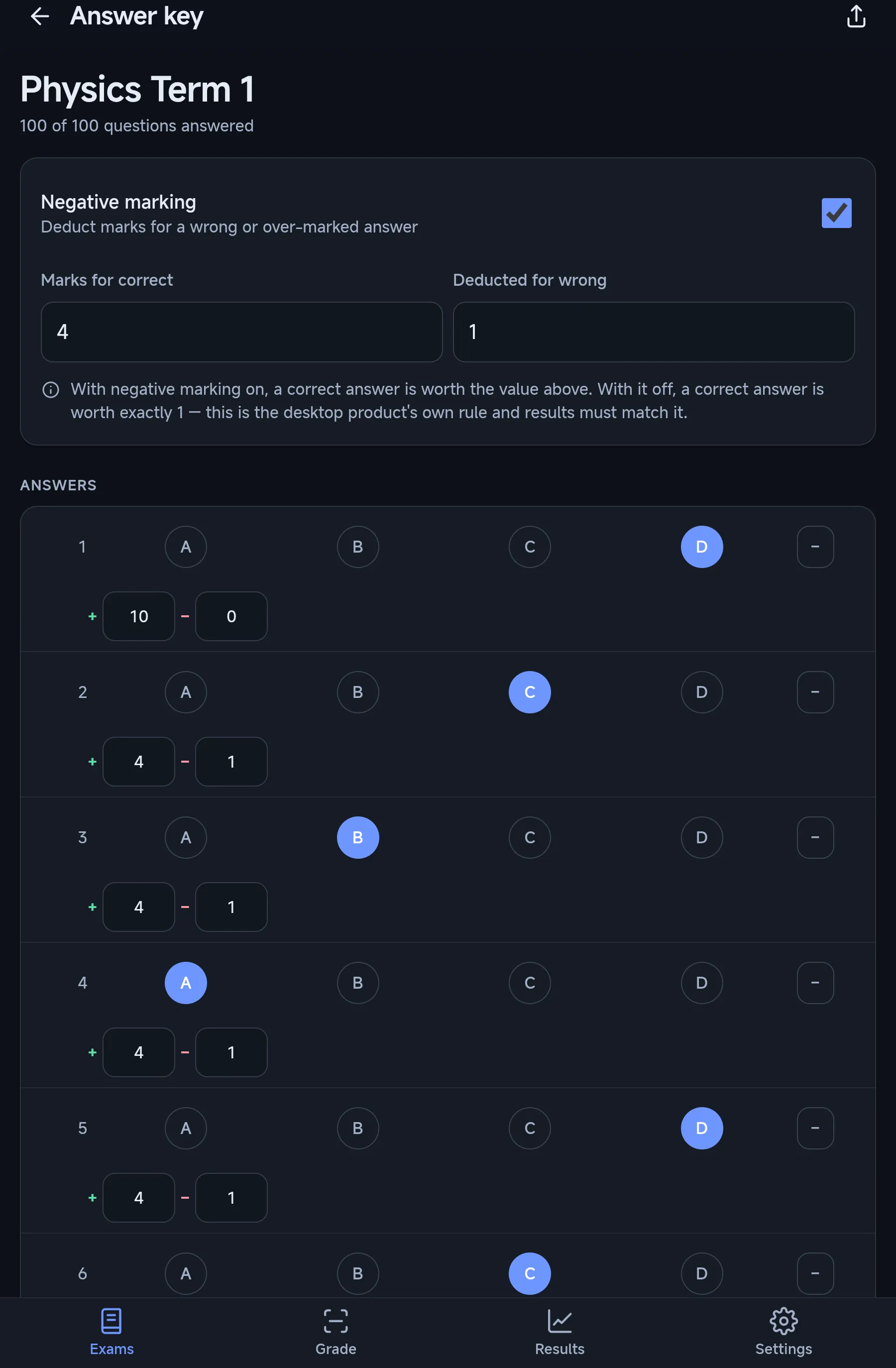
Every screen here is from the app on a test tablet.
Screenshots taken on an Android 14 tablet during device testing, with the system status bar removed.
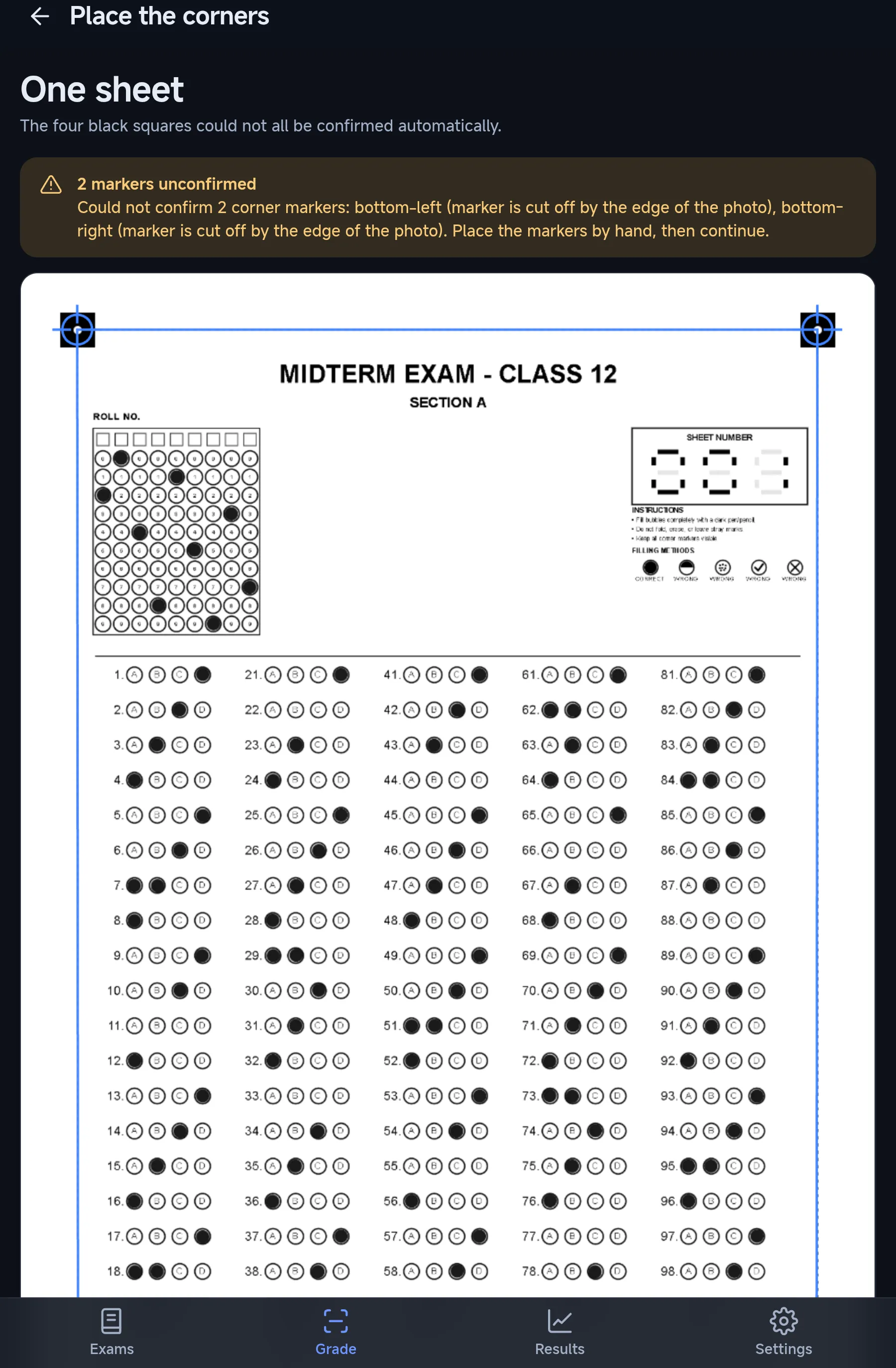
Corners placed by hand when needed
When a corner marker is cut off or hidden, the app says which one and lets you drag it into place.
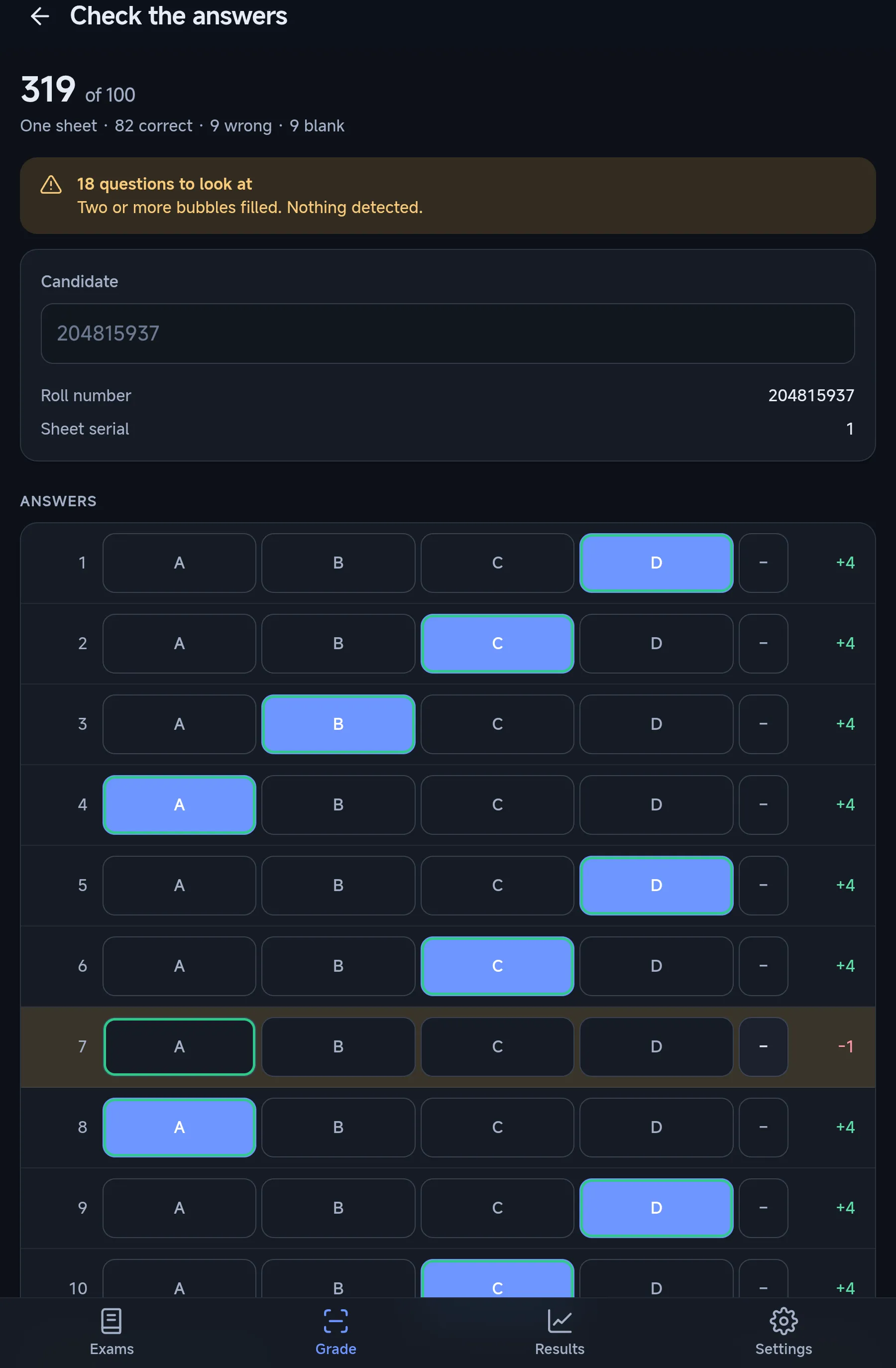
Answers checked before saving
Questions with two marks or nothing detected are flagged, and every answer can be corrected before the result is saved.
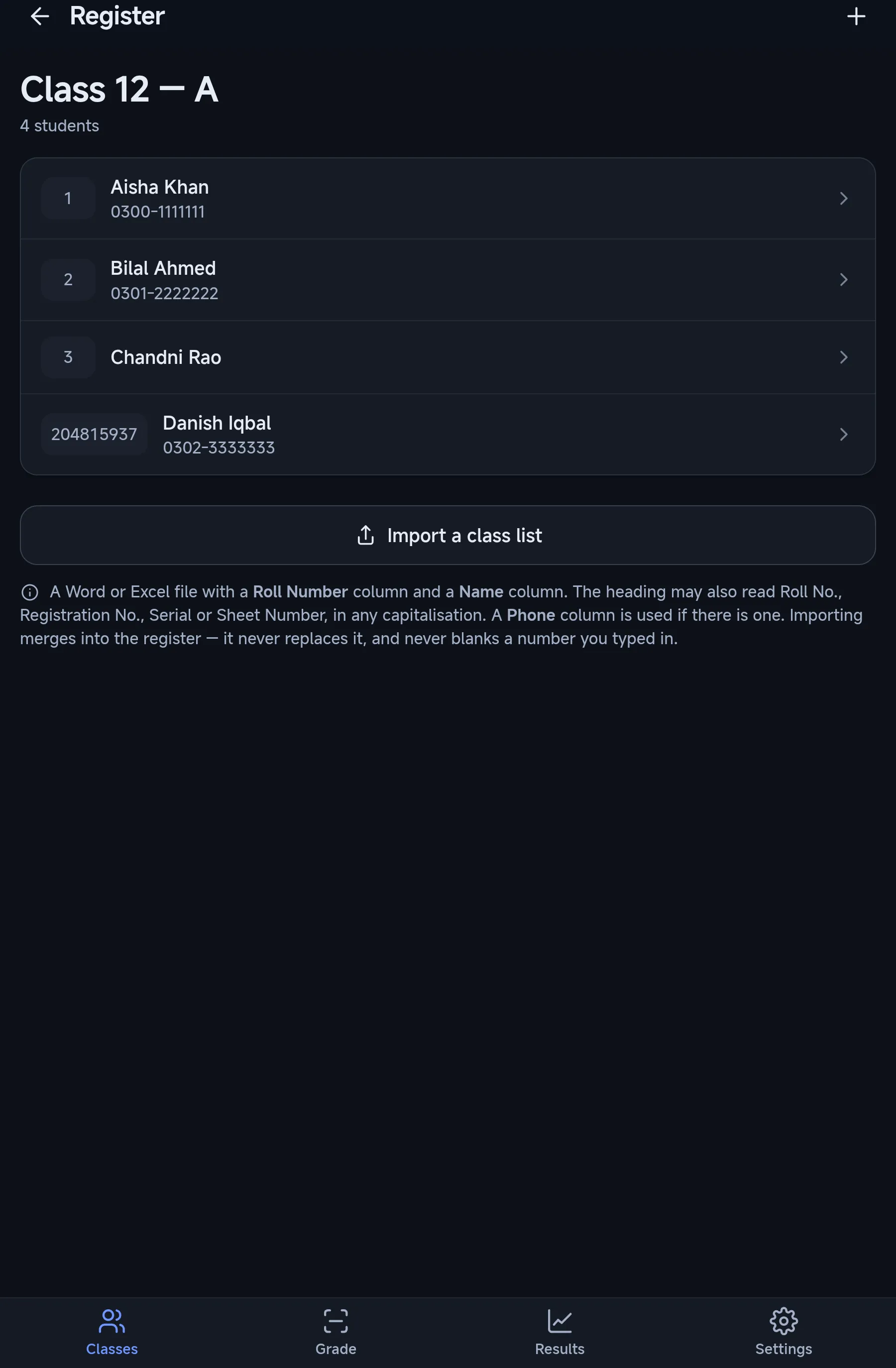
A register for each class
Import a Word or Excel list with Roll Number and Name columns. Graded sheets pick up the names by roll number.
Where the Android app differs from Windows.
Same sheets and the same marks. The differences come from the phone.
- Getting sheets in
- Camera or photo gallery
- Printing
- Saves each sheet as a 300 DPI PNG; print it at A4 with fit-to-page off
- Answer key
- Typed in, or opened from a key file
- Exports
- Excel, PDF, sheet images, backup for the Windows app
- Sharing
- Android share sheet
- Themes
- Light and dark, following the phone
Free daily grading, with your marks kept on the phone.
Classes, registers, exams, answer keys, sheets and exports work without an account. Grading needs a Google sign-in, which gives a free allowance of 15 saved results a day at present.
Sheet photos, names, roll numbers and marks never leave the device. The app sends only what sign-in and the daily allowance need. A paid plan for more grading is planned and not on sale yet.
- Android version
- Android 7.0 or later
- Permissions
- Internet only
- Camera and photos
- Through the system camera and picker
- Ads, analytics, trackers
- None
- Account deletion
- In the app: Settings, Account
Want the Android app when it launches?
It is in testing now. Send us a message and we will tell you when it is on Google Play. The Windows software is available today.